The first step towards getting access to the Molecular Foundry is creating an account on our User Portal.
The User Portal is your entry point to manage your user profile and your proposals. If your proposal is accepted, you will manage your user agreement and also be able to view and complete the recommended core safety training courses for your project.
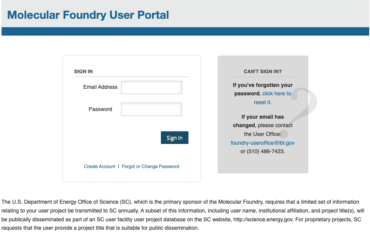
Create and Manage Your User Profile
Navigate to the Foundry User Portal. Click ‘Create Account’ to get started. Your email address will be your login name on the User Portal.
Note that if you are logging in to the User Portal for the first time but have previously been listed as a user on another Foundry proposal, make sure you use the same email address for your User Portal account as is listed on the proposal to avoid creating a duplicate account.
If you need help with your User Portal account, contact the User Office.
Create and Manage a Proposal
User proposals are created and submitted through the Foundry’s User Portal. Draft and submitted proposals may be viewed and modified by any user listed on the proposal form by logging in to the User Portal with that individual’s user account.
Identifying Users on Proposals
The proposal form provides fields for up to five users: a Principal Investigator, a Primary Researcher, and three Co-Researchers.
The Principal Investigator (PI) is the project leader. Usually, the PI is a faculty member or a senior-level scientist who is head of a scientific organizational unit such as research group, program or laboratory. The PI is expected to make final decisions about the project and supervise scientific work. The PI cannot be a student or postdoctoral scholar.
The Primary Researcher (PR) is the individual performing most of the research on the proposal. For proposals in which users are working on-site at the Foundry, the PR is the lead researcher performing hands-on work.
Co-Researchers (CRs) are any additional users who will be performing work on the proposal, either on-site or remotely.
After a proposal is approved, it is possible to request that additional users be added to the project as CRs. These requests should first be discussed with the Assigned Scientist and then submitted through the User Portal, either by the new users themselves or by another user on the proposal. The request is subject to review and approval by the Lead Facility Director, and may require execution of a new User Agreement if the new user has a different affiliation.

