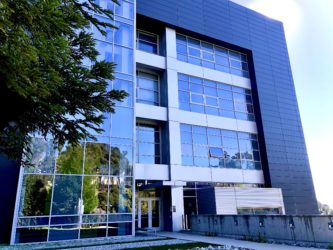
The Molecular Foundry is a DOE user facility that provides access to expertise, instrumentation, and other capabilities in nanoscale science. It is open to any interested researcher (“user”) through a competitive peer-reviewed proposal process administered by our User Program Office.
Access to the Molecular Foundry is free of charge for non-proprietary research; the vast majority of projects fall into this category. Users are responsible for their own living, local transportation, and travel costs. The cost of standard incidentals related to the user project (such as chemicals, basic lab supplies, office supplies) is supported by the Foundry. If a user’s project requires consumables beyond what is customary, they will establish a charge account to handle these costs. Proprietary projects pay a full cost recovery rate during the period when the project is active.
Here, we outline some of the main steps you will need to follow to become a Foundry User, along with their respective sub-steps. Our graphical User Guide can also walk you through the process of becoming a Foundry user.
1. Learn About the User Program
We’re glad you found the Foundry of interest for your research! This section covers key information you should review before getting started on a proposal. Learn about the different types of user proposals, user agreements, resource allocation, travel grants, as well as answers to commonly asked questions from industry users.
- User Proposal Types
- Lead and Support Facility Requests
- Co-Located Facilities at Berkeley Lab
- User Agreements
- Resource Allocation for User Proposals
- Opportunity Travel Grants
- FAQ for Industry Users
- How to Get Help
2. Apply for Access
Becoming a Foundry user generally begins by submitting a proposal to one of our twice-yearly proposal calls. When a Standard proposal is accepted, users have one year to activate it in our system, and after activation, have access to the facility for one year.
- Explore the Foundry’s Capabilities
- View Proposal Questions and Evaluation Criteria
- Review Proposal Tips and Examples
- Create an account on our User Portal
3. Prepare to Start Work
Before arriving at the Foundry, users need to contact their Assigned Scientist to discuss their start date, take core safety training, and register for a Berkeley Lab badge, along with other items in this section. Once at the Foundry, there will be additional safety training courses that will be required before you can start work. These will be determined through discussion with your Assigned Scientist.
- Get Your Proposal Activated
- Complete the Safety Questionaire
- Discuss Your Start Date with Your Assigned Scientist
- Apply for a Berkeley Lab Badge
- Set Up Your Lab Google Account
- Sign Up for Orientation
- Complete Core Safety Training
- Review Facility-Specific Onboarding
- Getting to Berkeley Lab
4. While You are Here
This section covers practical information you should know to ensure a smooth and productive visit—from connecting with your assigned scientist and getting oriented to the facility to policies you should be aware of.
- Report to Your Assigned Scientist
- Instrument Reservations
- Desk Space
- Where to Eat
- Community Events
- Community Norms
- Data Management Practices and Policies
- Policies to Know (Badge Access, Working Alone, Cyber Security, Onsite Media/Filming)
5. Project End and Reporting
When you publish work that involved the Foundry, you need to include the facility in the acknowledgment using the correct text. This is vital to our continued support from the DOE. We also ask that you report publications to us using our reporting form.
- Submit Your Final Report
- Check Out with Your Assigned Scientist
- Return Your Badge
- Acknowledge Foundry Support & Report Publications
- Report Intellectual Property

